
Generate Restaurant Receipts with Customizable Templates
Restaurants need to make receipts for their customers. Generating restaurant receipt is now easy with Receiptmakerly. Learn the easy process of generating restaurant receipts with customizable templates.
Choose a template to get started
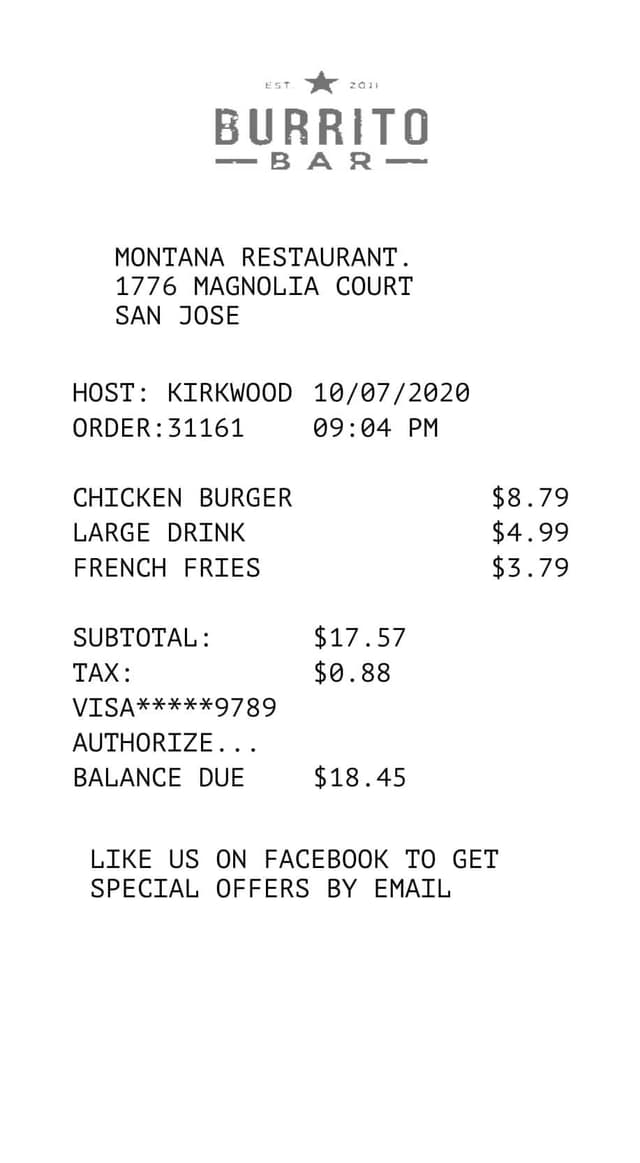
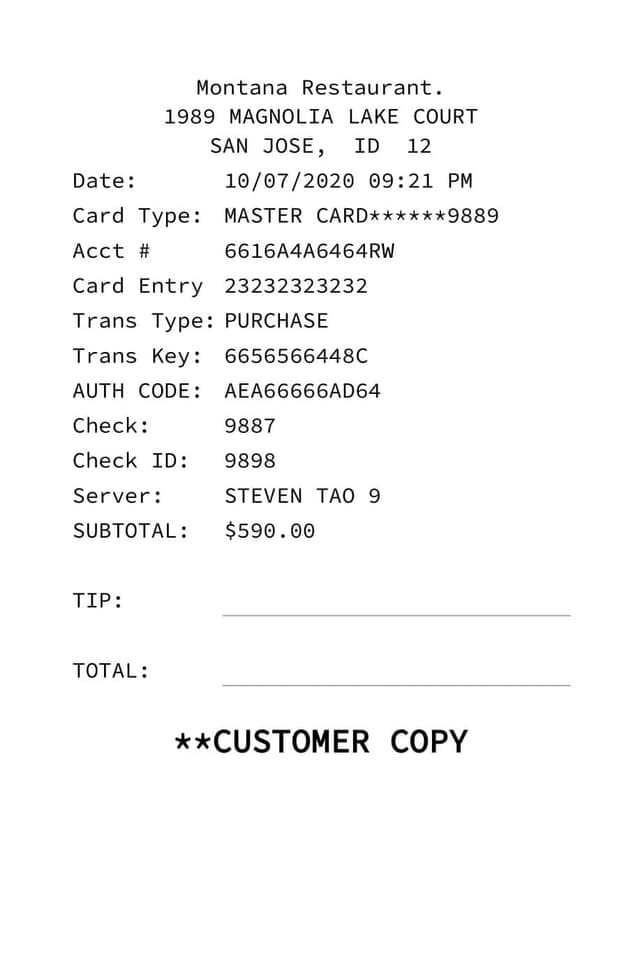
A restaurant receipt needs itemized dishes, tax, a tip line, date, and payment method. Missing the tip line is the most common omission.
Multiple premium templates, 19 currencies, and automatic tax and discount calculation.
Download as PDF or PNG, or email the receipt straight to the customer.
Not every template has a logo slot. Pick a branded template first if you want your logo on it.
Digital and paper receipts are equally valid for tax purposes.
Do you run a restaurant business? Have you just started a restaurant and want to streamline invoicing and generate receipts with customized restaurant receipt templates? With your restaurant's increasing crowd and population, the billing and invoicing process can become complex. Hence, it would be best to immediately use an efficient restaurant receipt generator.
What is a Restaurant Receipt?
A restaurant receipt is a document that lists the items and prices of the food and drinks ordered by a customer at a restaurant. It also includes the transaction's date and time, the payment method, and any applicable taxes or discounts.
The receipt serves as proof of purchase for the customer and a record of the transaction for the restaurant. Some receipts also include the name of the server or cashier who assisted the customer and a space for the customer to leave a tip.
In addition to traditional paper receipts, many restaurants now offer digital receipts via email or text message. Moreover, these digital receipts can be saved electronically for record-keeping purposes and are more environmentally friendly.
Types of Restaurant Receipts
- Traditional Paper Receipts: These are the most common type of restaurant receipts and are usually printed on thermal paper at the point of sale.
- Digital Receipts: Many restaurants now offer digital receipts via email or text message. They often include the same information as a traditional paper receipt but may also include a QR code for easy access and storage.
- Split Receipts: Some restaurants offer the option to split a receipt between multiple parties or payment methods.
- Customized Receipts: Some restaurants also offer customized receipts, which can include the restaurant's food logo, menu items, and special promotions or discounts.
- Order Confirmation Receipts: A receipt given to the customer at the time of order, containing the order details and an order number.
Importance of Restaurant Receipts
- Record-keeping: Receipts for restaurants provide a detailed record of the items and prices of the food and drinks ordered, the transaction date and time, and the payment method.
- Marketing: Customized receipts can be used as a marketing tool, displaying the restaurant's logo, menu items, and special promotions or discounts.
- Inventory Management: By keeping track of the items sold, the restaurant can better manage its inventory and identify which dishes are popular.
- Legal requirement: In most countries, businesses must provide receipts for all transactions. It is also important to keep these records for tax compliance and in case of an audit.
Receiptmakerly for Generating High-quality Restaurant Receipts
Your restaurant business can flourish only if it has a streamlined invoicing and billing process. So, the best way to achieve this is by generating restaurant bills and templates using a professional bill generator. This is what brings Receiptmakerly into the role!
Receiptmakerly is an online bills and receipts generator tool that lets you create different bills professionally with the help of customized restaurant receipt templates. So, whether you are an established or new business, Receiptmakerly is a perfect restaurant receipt generator for you.
Receiptmakerly lets you create premium-quality professional receipts and send the created receipts to your customers using email in just a fraction of a second. The same is true if you own a hotel business. Generate hotel receipt and avoid any such happenings.
Creating, storing, and sharing receipts is simple, ranging from phone receipts to parking receipt.
How to generate a restaurant receipt
Find the Restaurant Receipt from the drop-down
Open the category selector and choose the restaurant group.
Select any of the Restaurant Receipts templates
In this case we will use the Restaurant-custom Logo receipt.
Customize your template
Add your restaurant details, the dishes, tax, and tip.
Your receipt is ready — click Download
Export as PDF or PNG, or email it straight to the customer.