You have probably been asked "email or printed?" at a checkout counter recently. That question is the whole shift in miniature. A digital receipt, or e-receipt, is just proof of purchase that arrives by email or text instead of on a slip of paper.
More shops offer it every year. Below is what you get from the switch, what you give up, and how to start sending them yourself.
TL;DR
- A digital receipt is a receipt you will receive by email or text, rather than a printed slip. It is paper with the same information.
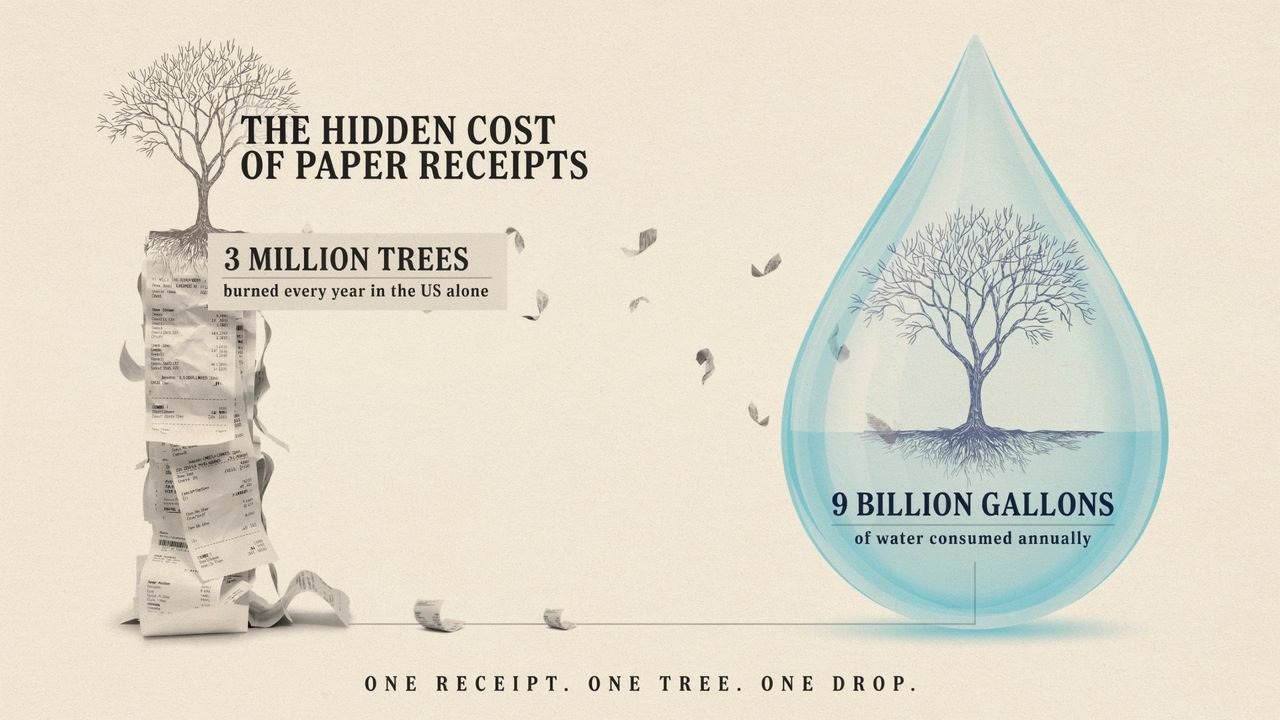
- US paper receipts burn 3 million trees a year, plus 9 billion gallons of water.
- Most thermal receipts carry BPA or BPS. Skin takes in these chemicals on contact, and they disrupt hormones.
- A digital receipt counts the same as paper at tax time, as long as the copy is clear and whole.
- You now hold customer data. Lock it down. The risk shifts, it does not vanish.
Why should you go paperless and embrace digitization?
Paper receipts are worse than most people realize.
Making them burns through roughly 3 million trees and 9 billion gallons of water a year in the US alone. That is for slips most of us lose within a week.
Six reasons to drop them:
- The environment. No paper means no pulp, no printing, no landfill. This is the clearest win of the six.
- Speed. You can search a digital archive. You cannot search a shoebox. Finding one receipt from March takes about four seconds instead of twenty minutes.
- Cost. Ink, thermal paper rolls, printer maintenance, storage boxes. None of it is expensive on its own. All of it adds up across a year.
- Access. Your files are wherever you are. That matters if your bookkeeper works remotely or you handle expenses on the road.
- Security. Digital files can be encrypted and password-protected. A printed receipt in a drawer cannot.
- Customer experience. Fewer forms at the counter, faster checkout, and nothing for the customer to lose on the walk to the car.
What is a digital receipt?
An electronic receipt is the same document you always got, minus the paper. It arrives by email, text, or through an app.
The contents do not change. Sale date, item prices, both party names, total paid. A tax office treats it exactly as it would treat the printed version.
Digital receipt use cases
- Record keeping. Customers filter and search their own purchase history. No sorting through a drawer at tax time.
- Data collection. Because e-receipts go to an email address, you learn things about how people buy from you. Purchase histories, preferences, contact details, all useful for cold outreach automation and for deciding what to stock next.
- Personalization. You can drop an offer or a thank-you into the receipt itself. It costs nothing and people actually read receipts.
Receiptmakerly: #1 Digital receipt generator
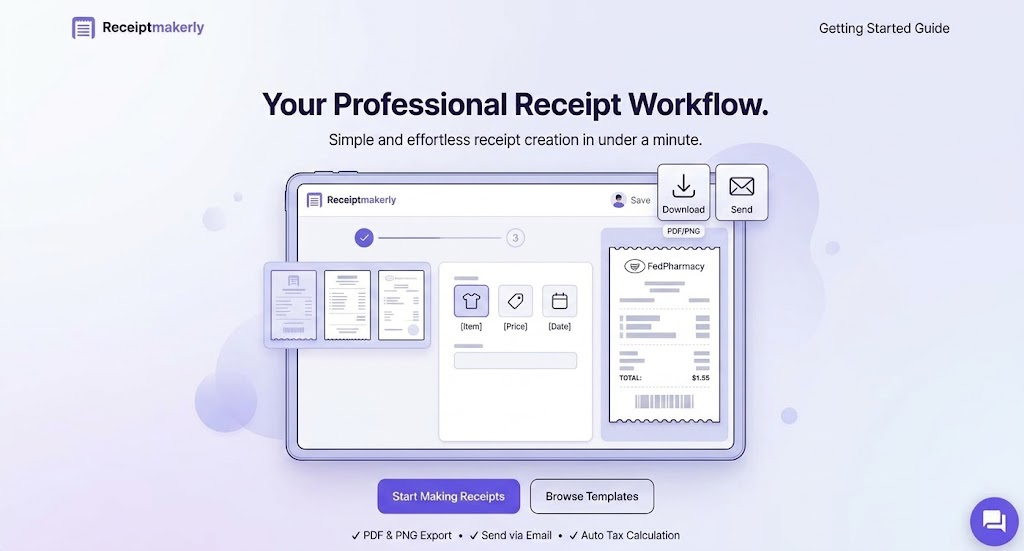
Receiptmakerly makes the receipt itself. If you need to hand a customer a clean, professional-looking receipt and you do not want to build one in a word processor, this is the tool.
The main thing it has going for it is that there is nothing to learn. Pick a template, fill in the fields, download.
It covers most of what a small business runs into, from a plain itemized receipt to formats like amazon-style receipts and cash receipts.
How to generate digital receipts with Receiptmakerly: a step-by-step guide
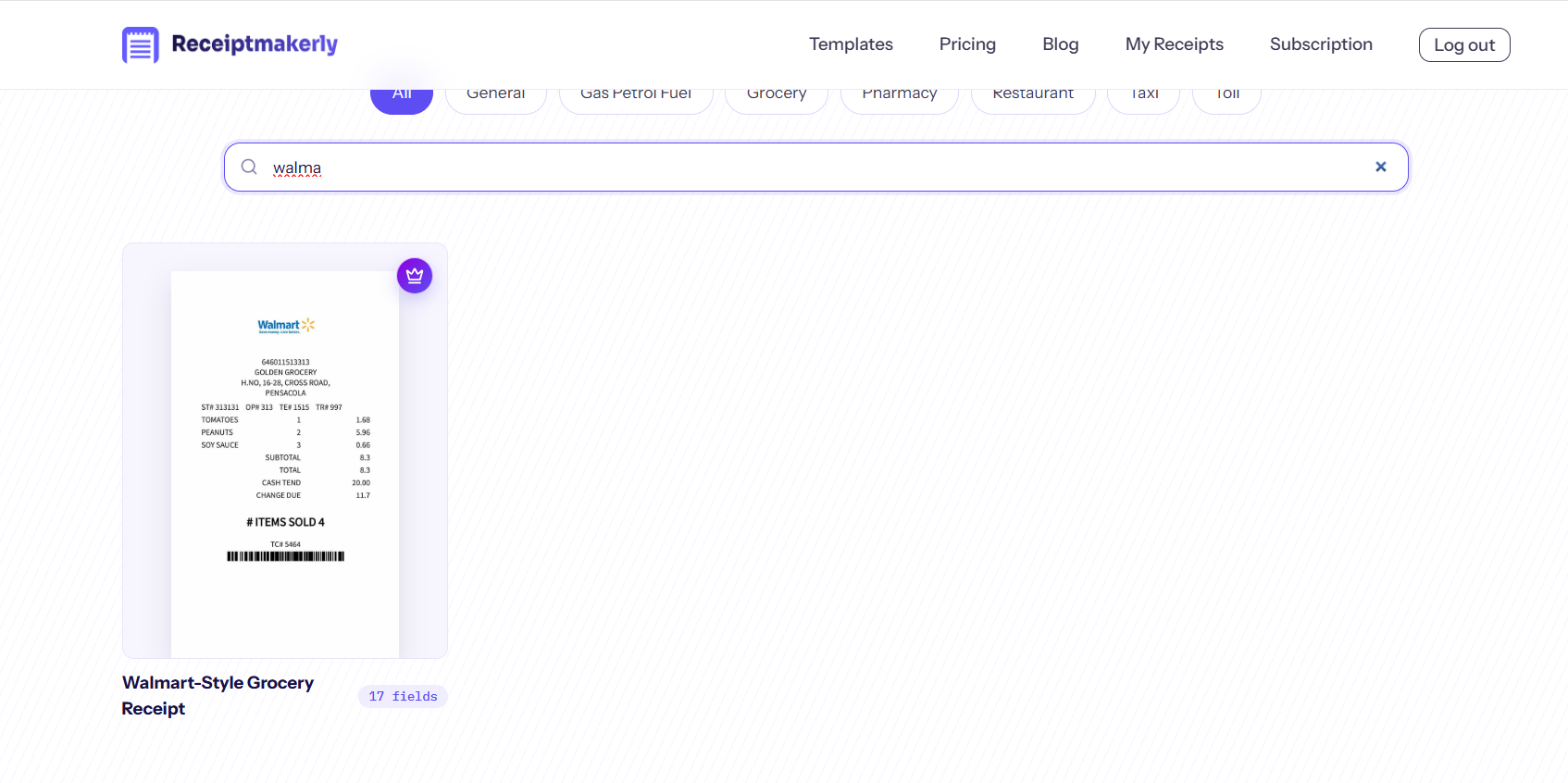
Five steps, start to finish. We will use a walmart-style receipt as the example.
1. Select category. Type walmart on the search bar and from the search results click on it
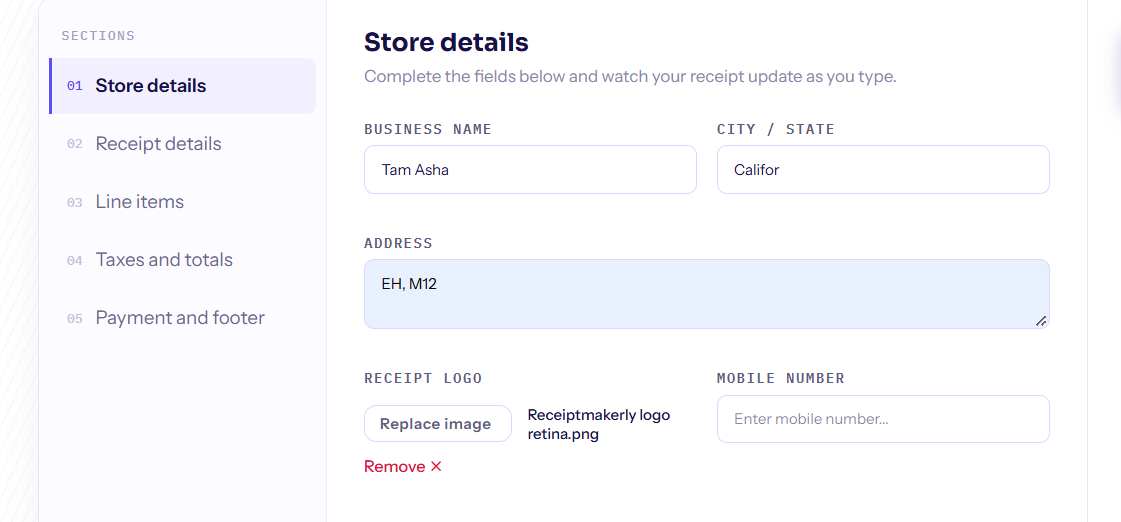
2. Enter details. As the template open in the live receipt builder, enter your store details, receipt details, line items, taxes and payment details.
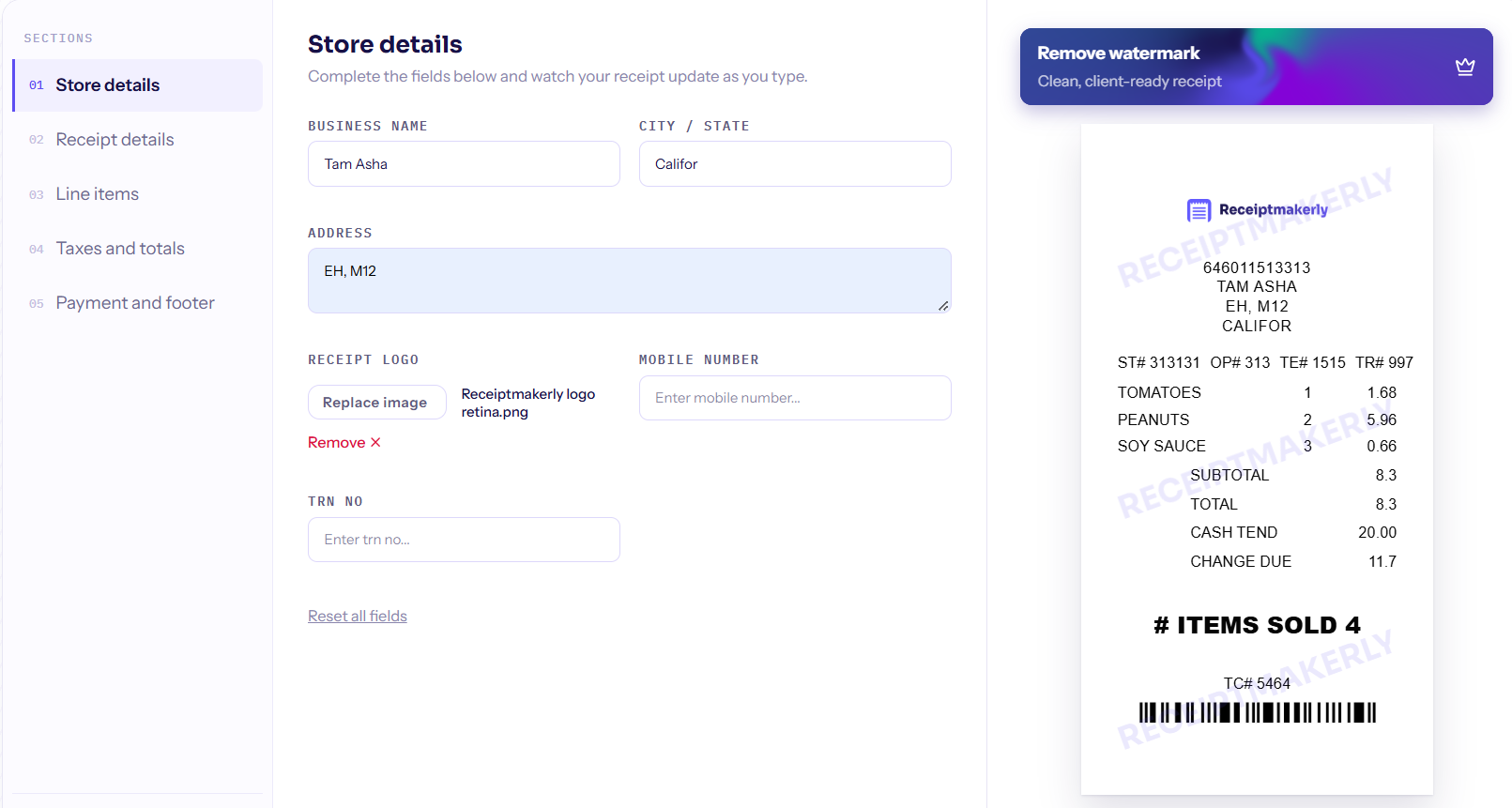
3. Add extras. You can Upload your logo and bar code to your receipt.
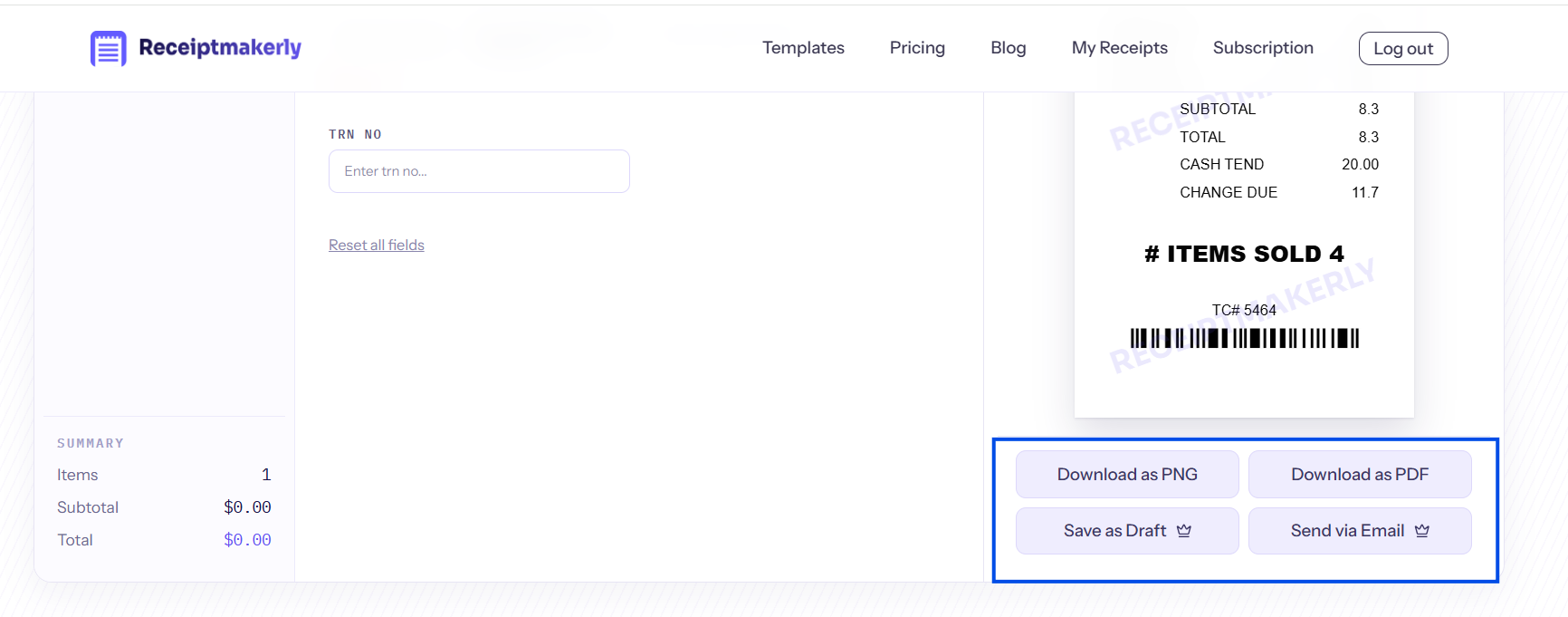
Download and send. After adding, adjusting your receipt details you can download or send it via email directly from this live builder by clicking the button. You dont need to gnerate or do anyhting at all.
Benefits of digital receipts
A digital receipt will offer you some unique benefits that you won’t be able to gain from conventional paper receipts.
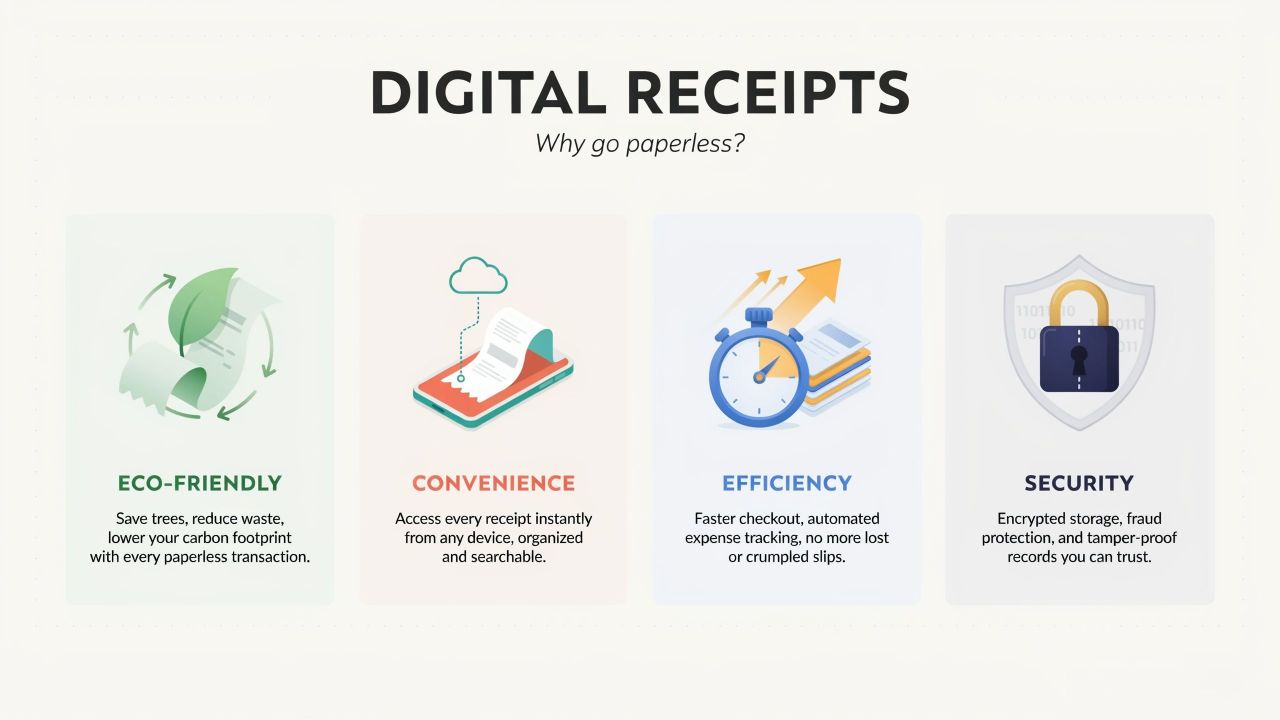
Here are some benefits that you can harness from digital receipts or e-receipts:
- Eco-friendliness. Beyond the trees and water, there is a health angle most people miss. Most thermal paper receipts carry a coating of BPA or BPS. Those are hormone-disrupting chemicals, and skin absorbs them on contact. Cashiers handle hundreds of these a shift. Digital receipts have no coating because they have no paper.
- Convenience. Search your inbox, find the receipt. That is the entire process. Nothing to file, nothing to lose in a jacket pocket.
- Efficiency. The time your team spends filing and sorting paper slips goes back into the business. For a small shop that is a few hours a month. For a busy one it is considerably more.
- Security. The receipt goes straight to the customer's email or phone. It cannot be pickpocketed, rained on, or left on a restaurant table.
Paper receipts fade, too. Thermal print degrades in heat and sunlight, so a receipt left in a car can be blank by the time you need it.
Disadvantages of digital receipts
None of this is free of trade-offs.
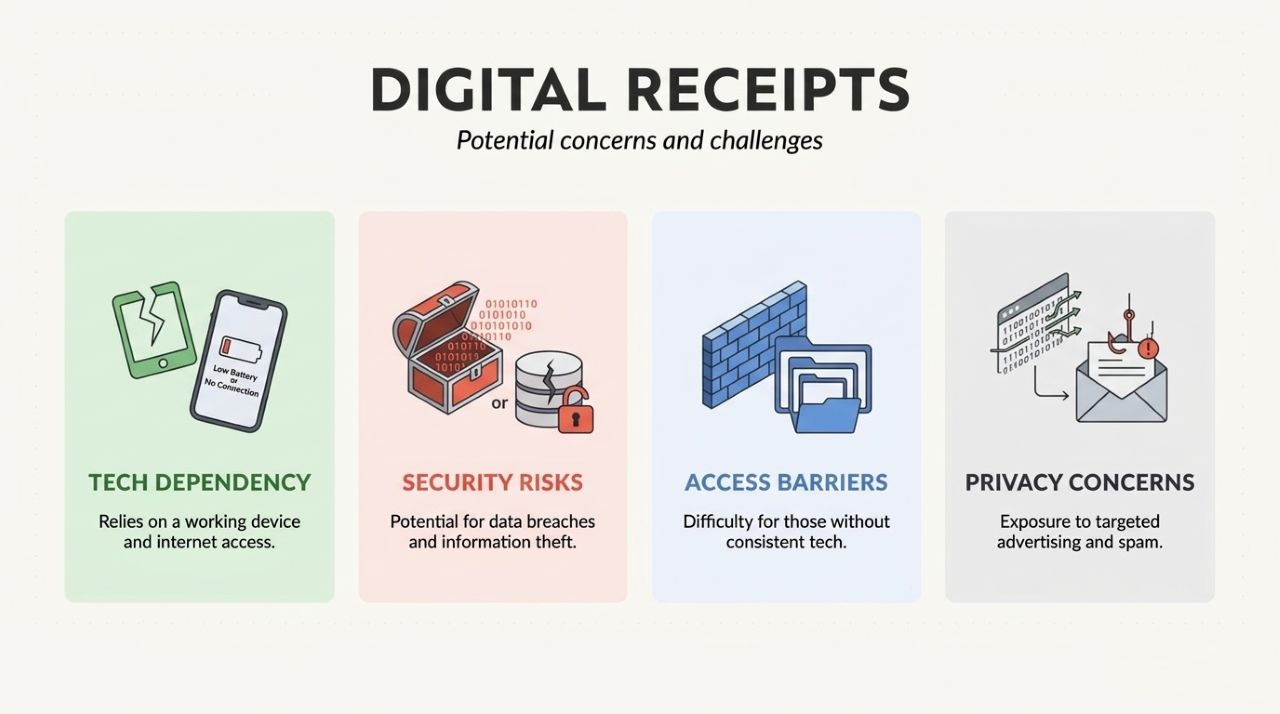
- Technology dependence. If your email service goes down, receipts stop arriving, and customers notice quickly.
- Security risks. Anything holding card details or personal data is worth attacking. You need real systems for storing and sending these, not a spreadsheet on a laptop.
- Access barriers. Not everyone has a reliable email address or a phone that handles attachments well. Older customers in particular may just want the paper.
- Privacy Concerns. Exposure to targeted advertising and spam.
Digital receipt best practices
- Say it out loud. Tell customers digital receipts exist and how to get one. A small sign at the register does the job.
- Lock down storage. Encryption and password protection, not good intentions. You are holding customer data now.
- Keep a paper option. Someone will ask. Print it, or give them a portal login, but have an answer ready.
- Check the rules. Consent requirements and data protection laws vary by where you operate. Worth ten minutes of reading before you switch over.
Handle those four and the drawbacks stay small.
Frequently Asked Questions about digital receipts
Can a customer return something with a digital receipt?
Usually, though it comes down to store policy rather than any law. Most retailers accept an e-receipt shown on a phone or printed at home. If you run the shop, put your policy in writing on the receipt itself so nobody argues about it at the counter.
What happens if the customer loses it?
That is one of the quieter advantages. A paper receipt is gone for good, but an emailed one can be searched for, forwarded, or resent from your records. Keep your own copies and you can reissue on request.
Do I have to hand over my email address to get a receipt?
No. A shop can offer digital as the default, but it cannot force you into giving contact details for a purchase you already paid for. Ask for paper if you would rather not share an address.
Are digital receipts safe to store?
Safer than a drawer full of paper, assuming you encrypt them and control who has access. The risk shifts rather than disappears. Paper can be stolen from a bag; an inbox can be breached. Treat the data like customer data, because that is what it is.
Is there any downside for older or less tech-comfortable customers?
Yes, and it is worth planning for. Some people have no working email, no smartphone, or simply prefer paper. Keep a printer available and offer the choice out loud rather than assuming everyone wants the digital version.
Conclusion
The case for digital receipts is not complicated. They cost less, they are easier to find later, and they keep a few million trees standing.
The catch is that you are now responsible for customer data you did not hold before. Take that part seriously and the rest takes care of itself.
Ready to send your first one? Make a receipt with Receiptmakerly and see how it looks.
Use Receiptmakerly to create polished, export-ready receipts in minutes.