Employees submit expense receipts. Someone has to verify them, categorize them, and get the numbers into the books without retyping every line by hand. Using dedicated apps for receipt scanning closes that gap. In practice, it turns a photo of a paper receipt into structured, searchable data: vendor, date, amount, and sometimes every line item, without anyone entering it manually.
When choosing among the top apps for receipt scanning in 2026, start by looking closely at pricing updates and features. Several of these tools have changed their plans and market positioning since this list was first written. Here is how to figure out which option fits your situation best.
TL;DR
- Five worth considering: Evernote Scannable, MMC Receipt, Veryfi, Neat, and Zoho Expense. Each fits a different size of business.
- The IRS has accepted photographed receipts since 1997 under Rev. Proc. 97-22, so you can bin the paper once the scan is legible.
- Zoho Expense has the only usable free tier: 3 users, 20 auto-scans a month, no trial expiry.
- MMC Receipt charges a flat $15/month regardless of team size, which matters once you pass three people.
- Veryfi is now a developer API first. Its OCR product starts near $500/month and is not a consumer app.
How Apps for Receipt Scanning Help Small Businesses
Specifically, a receipt scanning app works by running optical character recognition, or OCR, on a photographed or scanned image, then using machine learning to identify which text is the vendor name, which is the total, and which is the tax line. The better ones extract individual line items too, not just the total.
Since these apps solve slightly different problems for different people, it helps to break the benefits down by what actually changes in a workday, in order of impact.
No manual entry
Someone retyping receipt totals into a spreadsheet will eventually transpose two digits. A $1,200 expense entered as $2,100 either overstates a deduction or understates one, and both are the kind of error that costs time to track down later.
Faster expense reports
Employees photograph a receipt at the point of purchase instead of saving a shoebox for month-end. As a result, managers see the report as line items arrive, not three weeks late.
Real security against loss
Thermal receipt paper fades. In contrast, a phone photo, backed up to the cloud, doesn't. If you're unclear on what a receipt is, the short version is that the digital copy has to be just as legible and complete as the original.
These apps also handle the character-reading step that creates digital receipts an administrator can search and file automatically, instead of someone typing each line into a spreadsheet by hand.
Less physical storage
No filing cabinet, no shoebox, no forgotten envelope of gas station receipts from a road trip two years ago.
Fewer printed receipts
Going paperless with receipt handling also cuts the ink and paper cost of printing out a receipt in the first place. Still, it's a small saving on its own, and it adds up across a year of transactions.
One thing worth confirming directly, since it still gets asked: the IRS accepts scanned and photographed receipts as valid substitutes for paper originals, and has since 1997 under Revenue Procedure 97-22, provided the digital copy is a complete, legible reproduction of the original (IRS, 2026). Once you have a compliant digital copy, you don't need to keep the paper.
The 5 Best Apps for Receipt Scanning in 2026
1. Evernote Scannable
Evernote Scannable is not free anymore. Its iOS-only scanning app that captures paper into clean digital scans. Overall, it's a genuinely good tool for turning a stack of paper into PDFs quickly.
That said, there's a catch worth flagging since this list was last updated. Scannable syncs into Evernote, and Evernote's pricing changed substantially after its 2022 acquisition by Bending Spoons. Since then, the old Personal and Professional tiers are gone.
That's a lot to pay for receipt storage alone. If you're already using Evernote as your note-taking system and want receipts to live in the same place, Scannable makes sense. Otherwise, it's a weaker pick than it used to be.
Best for: existing Evernote users on iOS who want scans to land in a system they already use.
2. MMC Receipt
MMC Receipt processes receipts, invoices, and bank statements using OCR plus a human review pass, then pushes the extracted data into QuickBooks, Xero, FreshBooks, or a spreadsheet.
Pricing has stayed stable: $15 a month, $165 a year and a $500 lifetime per company, flat, with unlimited receipts, unlimited users, and unlimited storage. Once a team grows past two or three people, that flat structure starts to matter, since there's no per-seat charge working against you.
Features:
- Typical processing turnaround under five minutes
- OCR plus a human verification pass
- Multi-currency support
- Unlimited users and cloud storage on a single flat plan
- Integrations with QuickBooks Online, QuickBooks Desktop, FreshBooks, Xero, and Reckon
Best for: small teams that want predictable flat pricing regardless of headcount.
3. Veryfi
Veryfi has repositioned significantly since this list was first written. As a result, it's now primarily a developer-facing OCR API and data-extraction platform, used by other software companies to build receipt and invoice scanning into their own products. It isn't a consumer app you simply install and open.
Veryfi does still offer a small-businesses multiple plan, priced at $500 , custom growth plan along with the a Free plan. The underlying OCR API is priced per document instead, starting near $500 a month for paid usage. Because of that, it's out of range for a solo user who just wants to digitize a folder of receipts.
Features:
- Real-time data extraction with line-item detail
- Fraud and tampering detection on submitted images
- Multi-language OCR
- Built for integration into other software, with SOC 2 Type 2, GDPR, HIPAA, and CCPA compliance
Best for: software teams building receipt capture into their own product, or businesses that specifically need audited fraud detection on submitted receipts.
4. Neat
Neat has consolidated its product line since this list was first written. As a result, the separate Neat Files and Neat Books plans from a few years ago are gone, replaced with a single small-business bookkeeping plan.
Current pricing runs close to $200 a year, or roughly $16 to $17 a month equivalent, though a few review sites list slightly different numbers. Check Neat's own pricing page before committing, since third-party trackers don't always stay current.
Features:
- OCR-based capture that turns receipts into searchable PDFs
- Bank and credit card sync for reconciliation
- Unlimited monthly document storage
- Helpful for organizing receipts for tax prep, and for users who need to itemize their receipts for expense reports
- Integrations with QuickBooks, Quicken, TurboTax, and H&R Block
Best for: solo business owners who want scanning bundled with basic bookkeeping in one subscription, especially if they file with TurboTax or H&R Block.
5. Zoho Expense
Zoho Expense turns employee receipts into approvable expense reports, and it has a genuinely usable free tier. That's a real advantage over the other four options on this list, none of which have a workable free plan for an ongoing team.
Specifically, the free plan covers up to 3 users, 5GB of receipt storage, and 20 automated receipt scans a month. Paid tiers scale per active user instead: Standard runs roughly $3 per user per month, and Premium runs roughly $5 per user per month. It also offers a custom plan. Since pricing varies by billing cycle and source, check Zoho's own pricing page for your region and currency before budgeting.
Features:
- Free tier usable by very small teams, not just a trial
- Corporate card reconciliation on paid tiers
- Multi-level approval workflows
- Mileage tracking
- Integrations with Zoho Books, QuickBooks Online, Xero, Sage, and Zoho's wider suite
Best for: small teams that want to start free and only pay once they outgrow the basics.
Scanning receipts vs. generating them, a distinction worth getting right
Most apps for receipt scanning solve the exact same core problem: turning a physical receipt you received into structured digital data.
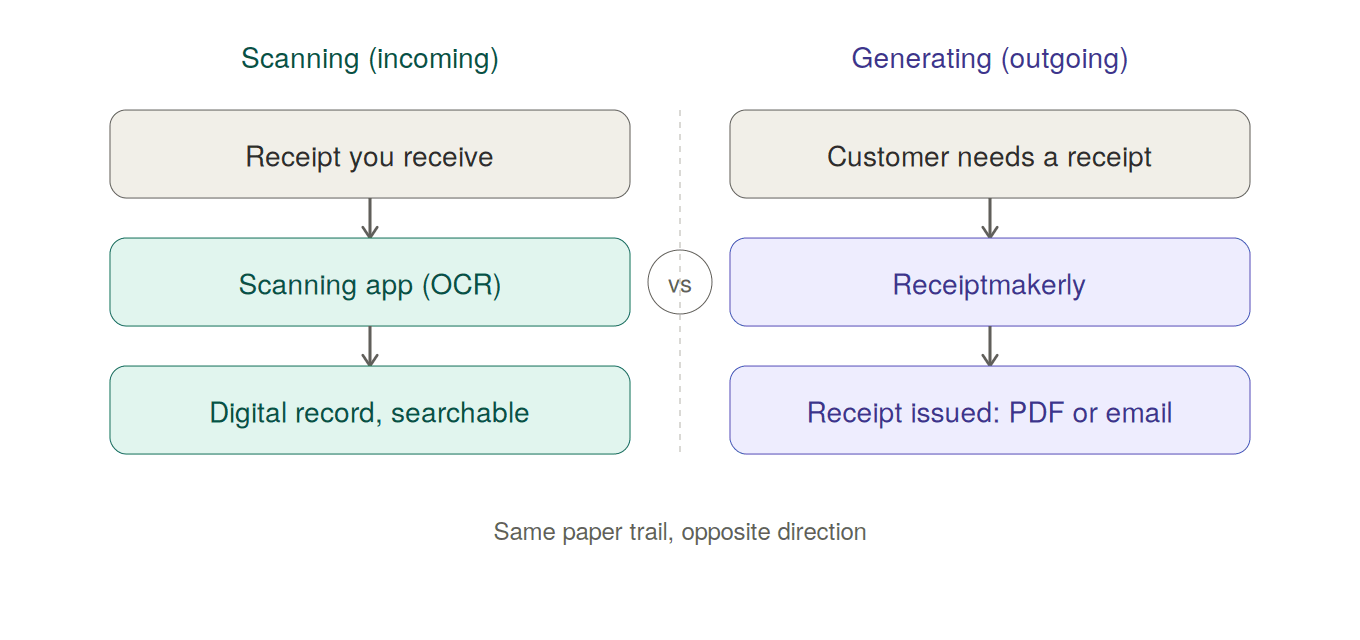
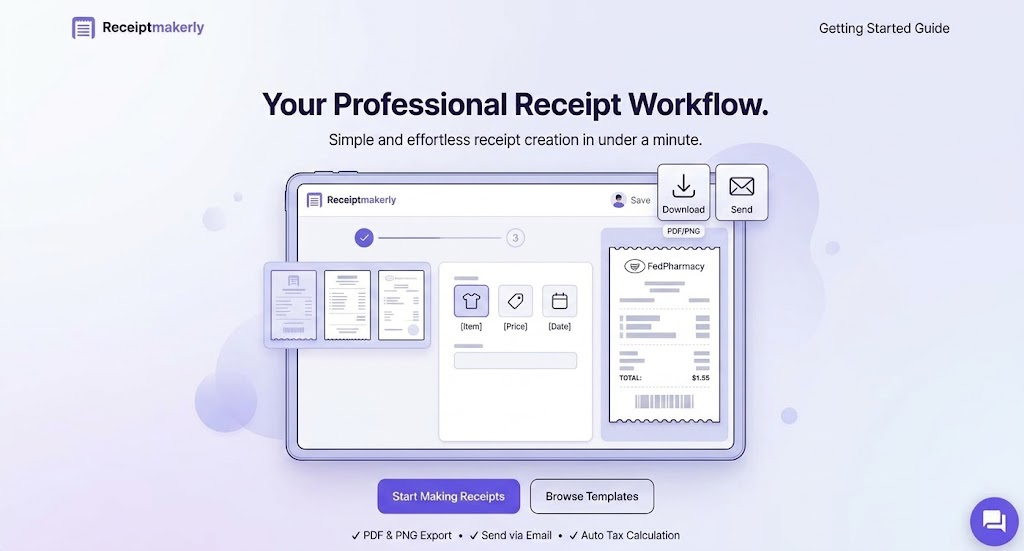
If instead you need to issue a receipt to a customer, a tenant, or a client, scanning software doesn't help you there. You need a receipt generator instead. Once you've scanned and organized the receipts your business receives, Receiptmakerly handles the other half: it generates the receipts your business sends out, with 50+ customizable templates, automatic tax calculation, and PDF or email delivery. As a result, every receipt you create through it stays in your saved history, so reissuing one for a customer months later is a two-minute job instead of a rebuild from scratch.
The two tools aren't competitors. A landlord might use a scanning app for their own deductible expenses and Receiptmakerly to issue monthly rent receipts to tenants. In practice, they solve opposite ends of the same paper trail.
Which one should you actually pick?
- Solo freelancer, occasional receipts, already on iOS: Evernote Scannable, if you're already paying for Evernote anyway.
- Small team, predictable flat cost: MMC Receipt.
- Building receipt capture into your own product: Veryfi's OCR API.
- Want scanning bundled with basic bookkeeping: Neat.
- Starting small with zero budget, might grow: Zoho Expense's free tier.
Frequently Asked Questions About Apps for Receipt Scanning
Are there any truly free apps for receipt scanning?
Zoho Expense's free tier is the most usable free option on this list: up to 3 users, 5GB storage, 20 auto-scans a month, and no trial expiration. Veryfi's OCR API also has a free tier of 100 documents a month, but it's built for developers, not for someone who just wants a point-and-shoot app.
Does the IRS accept a photo of a receipt instead of the paper original?
Yes. Since 1997, the IRS has allowed legible electronic images to substitute for paper receipts (Revenue Procedure 97-22 IRS, 2026). The image has to be a full, legible reproduction; a blurry or cropped photo doesn’t meet the standard.
What's the difference between a receipt scanner and a receipt maker?
A scanner, like the five apps above, digitizes receipts you receive from other businesses. In contrast, a generator like Receiptmakerly creates receipts for your business issues to its own customers. Most businesses eventually need both.
How much does a receipt scanning app cost for a small team of 5?
Roughly speaking, Zoho Expense Standard would run about $15 to $20 a month for 5 users. In contrast, MMC Receipt is a flat $15 a month regardless of team size. Neat and Evernote Scannable are priced per account rather than per seat, so team size doesn't change the cost directly.
Do these apps extract individual line items, or just the total?
MMC Receipt, Veryfi, and Neat all extract line-item detail, which matters if you need itemized records for expense policy compliance. Evernote Scannable is closer to a pure document scanner: it captures a clean image but does less automatic data extraction.
Final thoughts
The apps on this list haven't changed much in what they do. In short, OCR plus categorization plus an accounting integration is still the core formula. What has changed is the pricing and positioning underneath a few of the biggest names, and that's worth checking before you commit a team to a tool priced the way it was two or three years ago.
Match the tool to your actual volume. A solo freelancer scanning a dozen receipts a month doesn't need Veryfi's enterprise API, and a 20-person finance team will outgrow MMC Receipt's flat plan fast. Start with the free tier that fits your size, then upgrade when the limits actually bother you, not before.
Use Receiptmakerly to create polished, export-ready receipts in minutes.