The receipt reaches the customer before they have left the counter. No paper to lose, no ink to fade, and a copy sitting in your own records automatically.
This guide covers what an e receipt contains, what actually changes when you switch, how to send your first one, and the parts that catch businesses out.
TL;DR
- An e receipt is proof of purchase sent by email, text or app instead of paper. It is identical to a slip and is treated in the same way by the tax office.
- It is legally valid. The IRS has accepted digital copies since 1997, and HMRC takes scans too.
- Deliverability is the part that breaks. Set up SPF and DKIM before switching a whole shop over, or receipts land in spam.
- A mistyped address fails silently. You never learn the receipt did not arrive, so read it back at the counter.
- Offer text as a fallback. Some customers give a phone number when they will not give an email.
What is an e receipt?
An e receipt, also written e-receipt or electronic receipt, is a digital record of a sale. It goes to the buyer instead of a printed slip.
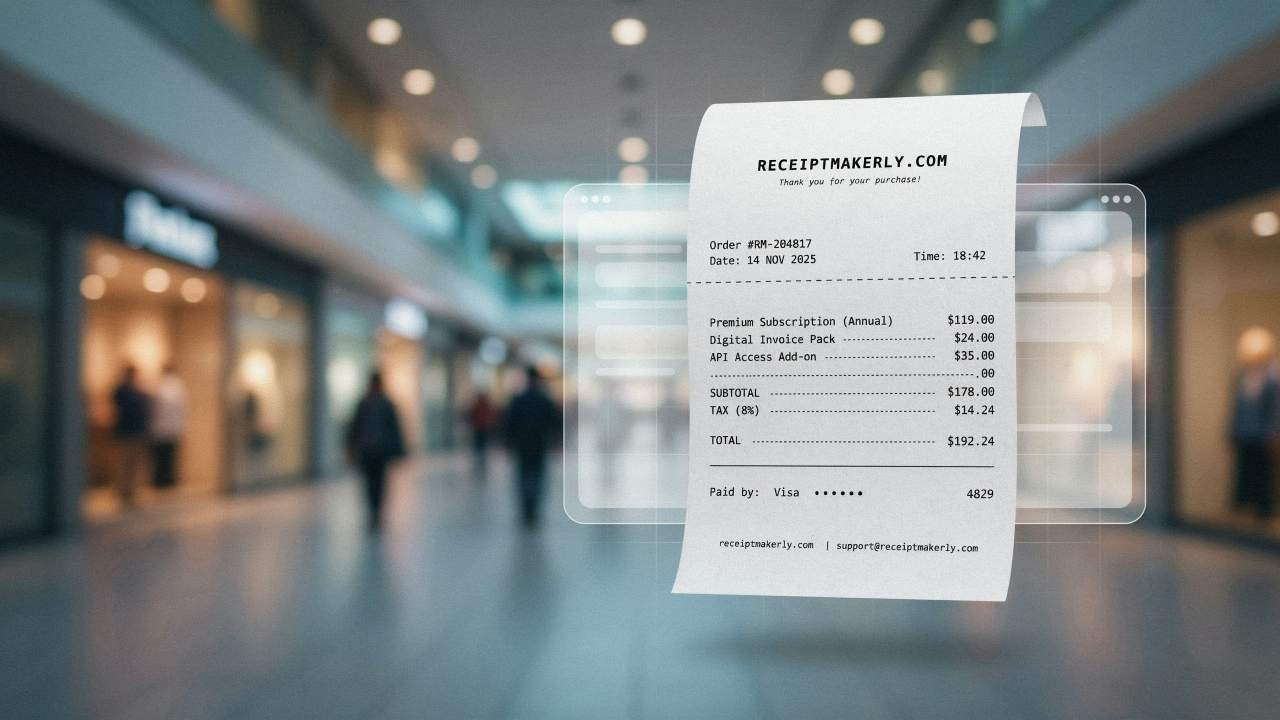
The contents match a printed receipt. Date, items, prices, tax, payment method, total, and your business details. There are good reasons why you must keep the receipts, and none of them require paper. You may still want printing receipts as an option when a customer asks, but it is no longer the default.
How e receipts differ from paper
The differences show up in daily use.
- Delivery: An e receipt goes out by email or text. A paper receipt is handed over at the till, which means the customer has to be standing there.
- Storage: Yours sits in a searchable archive. Theirs sits in an inbox. Neither of you is maintaining a shoebox.
- Durability: People forget this one. Thermal paper fades with heat and light, so a printed receipt can be blank inside a year. A digital copy does not degrade.
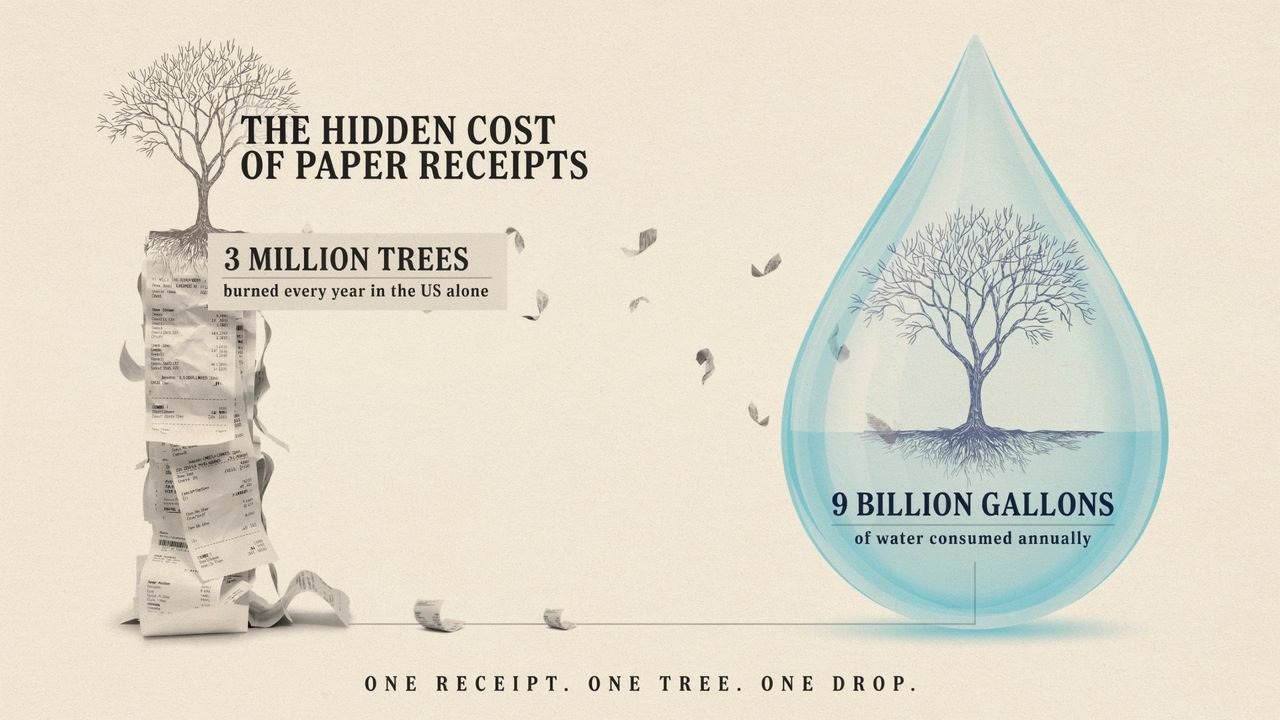
- Green cost: Making paper receipts in the US burns through more than 3 million trees a year. It also uses close to 9 billion gallons of water.
- Filing: E receipts sort themselves into folders. Paper needs a person to file it. For a fuller breakdown, see paper vs online receipts.
- Loss: A paper receipt that goes missing is gone. An emailed one can be searched for, forwarded, or reissued from your records.
What e receipts do for your business
- Fewer entry errors: The data goes straight into the record. Nobody retypes it at the end of a shift.
- Lower running costs: No rolls, no ink, no printer servicing. Small per transaction, noticeable across a year.
- Instant proof: Useful for online orders. The buyer wants proof before they close the tab.
- Easier books: E receipts drop straight into your accounting app. Meanwhile organizing receipts stops being a monthly chore and becomes a search box.
- Faster refunds: The customer forwards the receipt instead of hunting through a wallet, and your staff verify it in seconds.
Getting delivery right
This is where most businesses stumble, and the original version of this guide skipped it entirely.
- Collect the address carefully: A mistyped email address means the receipt never arrives, and you will not know. Reading it back at the counter takes three seconds. An email checker can validate addresses in bulk if you are collecting a lot of them.
- Offer text as an alternative: Some customers will not give an email address but will give a phone number. SMS receipts land more reliably and get read faster.
- Watch your deliverability: Receipts sent from a new domain can land in spam. Set up SPF (Sender Policy Framework) and DKIM (DomainKeys Identified Mail) records before you switch the whole shop over. Skip that step and your receipts vanish quietly.
- Keep paper available: Somebody will want it. An older customer. A lost phone. An expense policy that demands paper. Have an answer that is not a shrug.
- Ask, do not assume: "Email, text, or printed?" takes a moment and avoids collecting an address from someone who did not want to give one.
Receiptmakerly as your e receipt maker
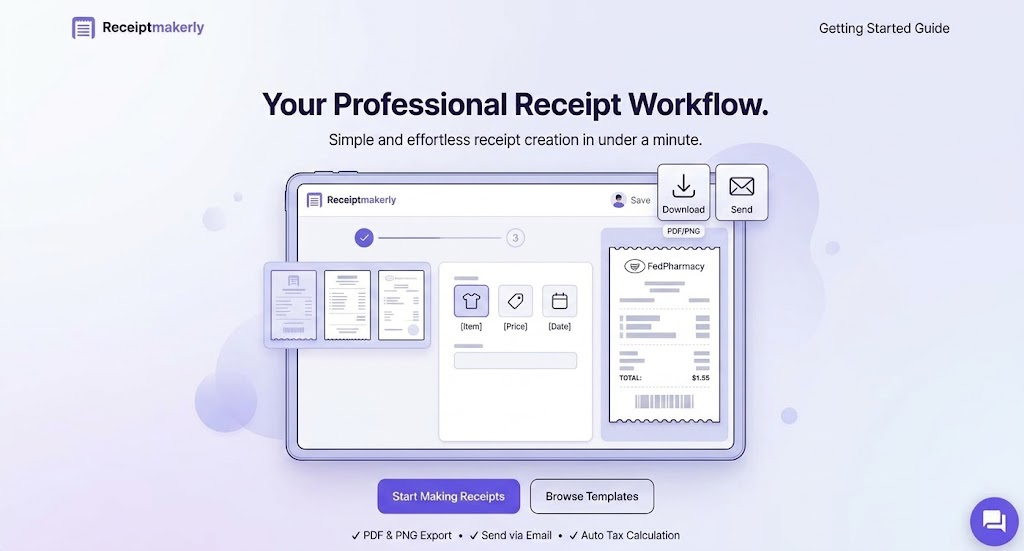
Receiptmakerly makes the receipt itself. Pick a template, fill in the fields, download it as a PDF or image, or send it straight to the customer's email address.
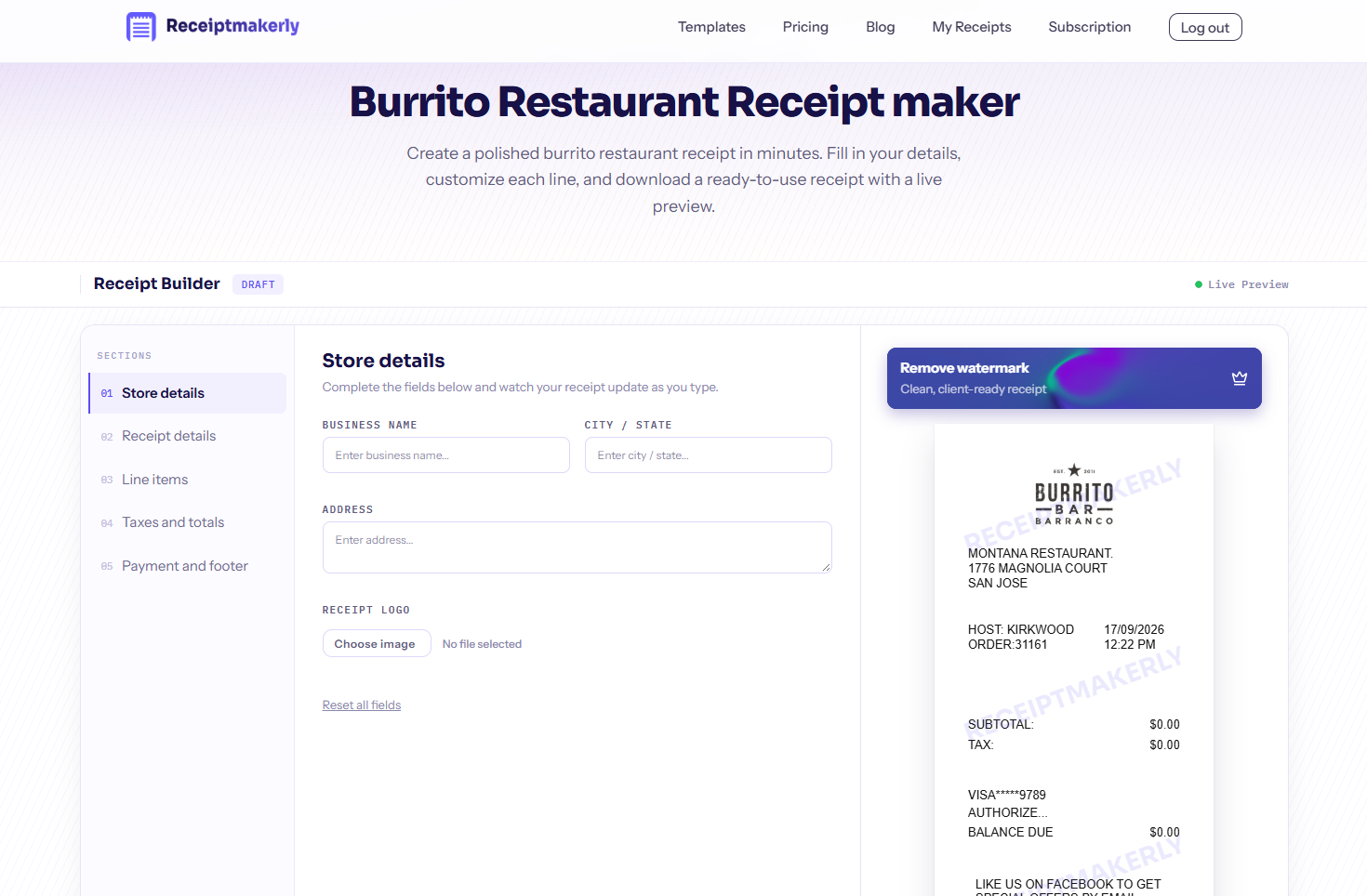
The range covers what most businesses actually issue. You get itemized receipts and cash receipts for daily sales, plus specific formats from a grocery receipt through to a rent receipt.
What you get: Dozens of customizable templates, 19 currency options, automatic tax and discount calculation, a date and time picker, and a choice of fonts. Every receipt you create saves to your account, so reissuing one months later takes a couple of clicks rather than a rebuild.
Worth being clear about the boundary. Receiptmakerly creates and sends receipts. It is not a POS system and it does not process payments, so it suits businesses that need to issue receipts alongside whatever they already use to take money.
How to create an e receipt with Receiptmakerly
Four steps. This walkthrough uses a general receipt template.
1. Choose the Template: Search your preferred template or choose a template to start with. We will start with Gas & Fuel Receipt template.
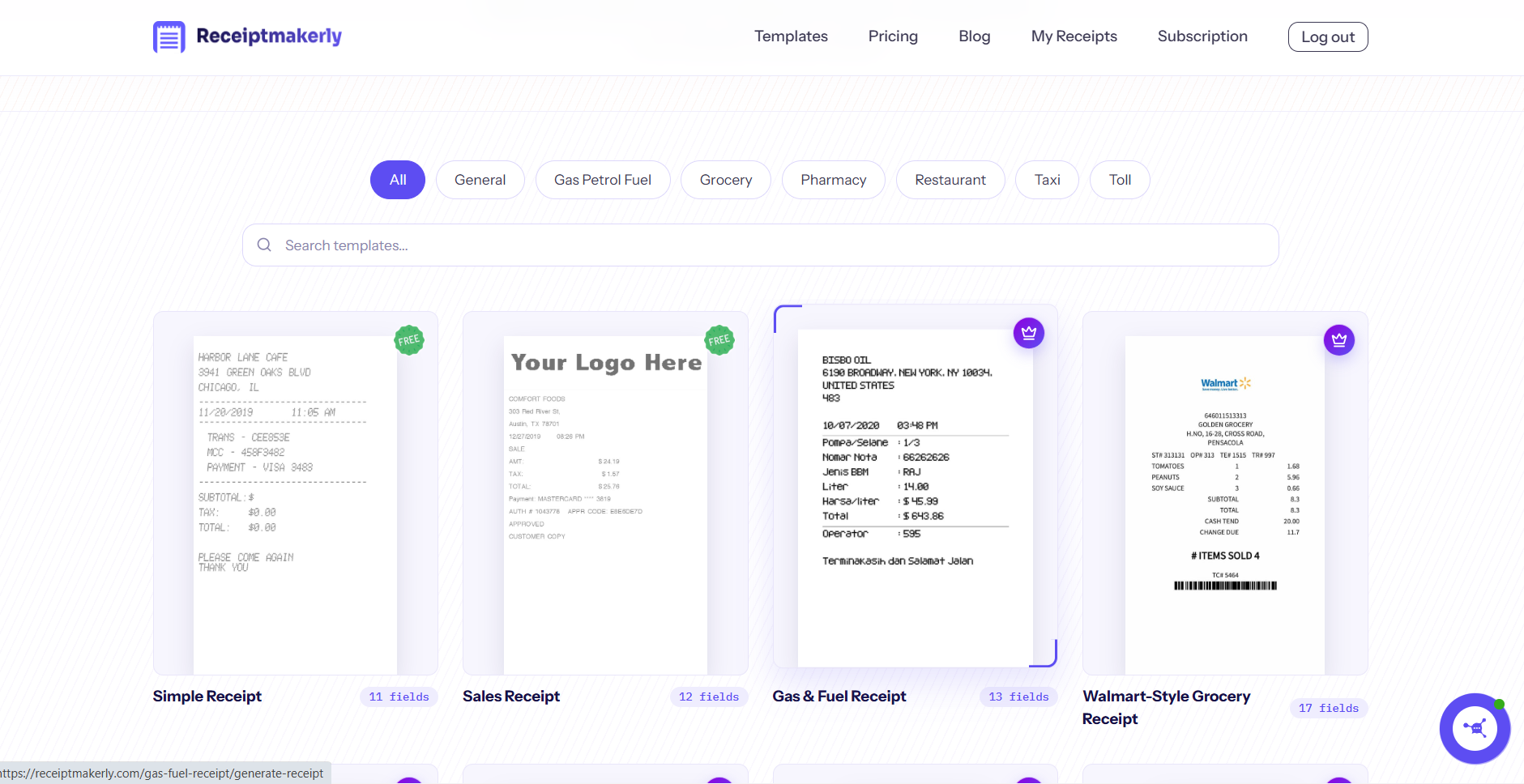
2. Start the Builder: Click on the Gas & Fuel Receipt template. The template will be open on the Receipt maker.
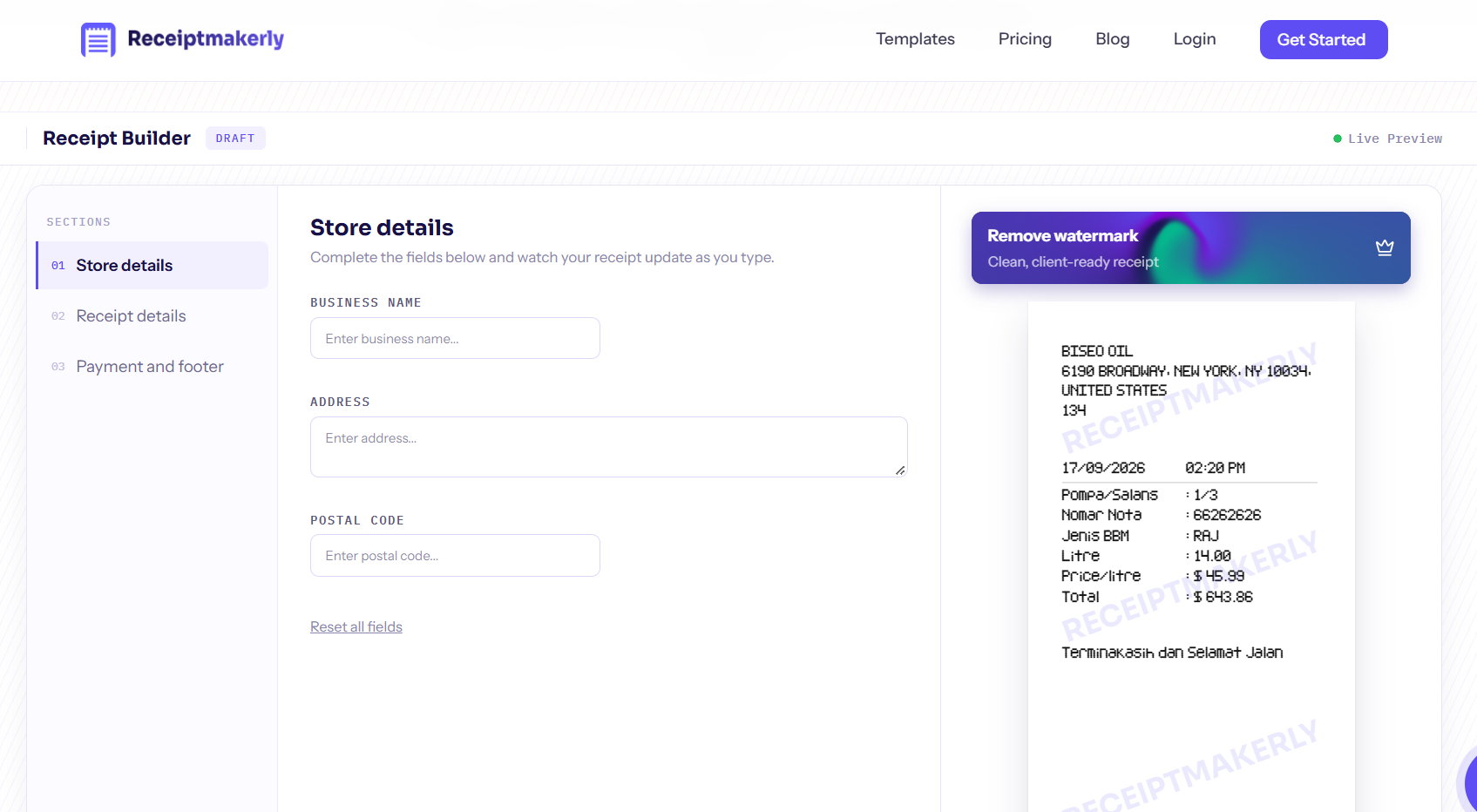
3. Fill in the details: Add your business information, receipt details, and payment method etc. All of your changes will be updated on the right side live preview box.
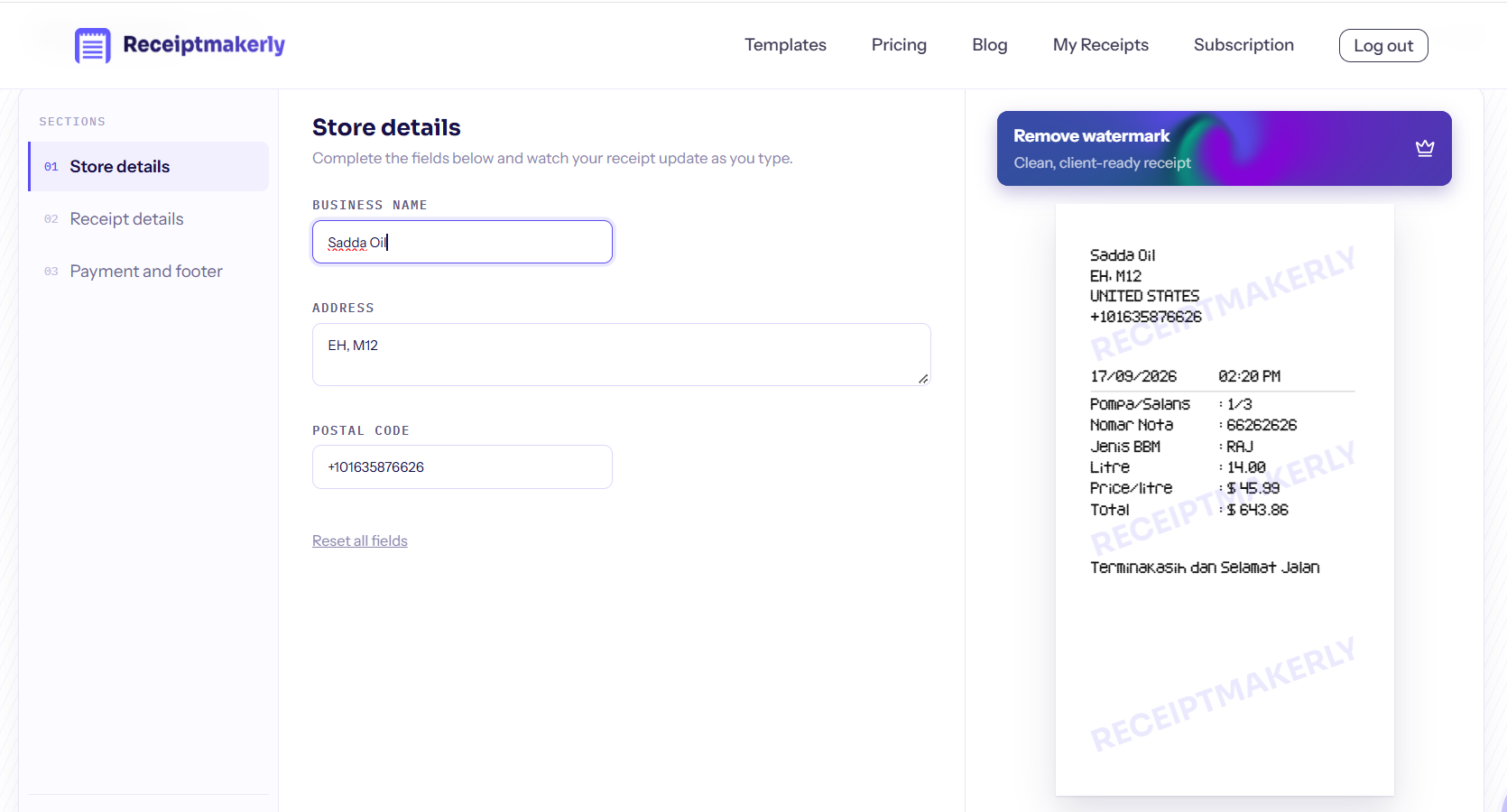
Download or send: Your receipt is ready. Download it, or send it directly to the email address.
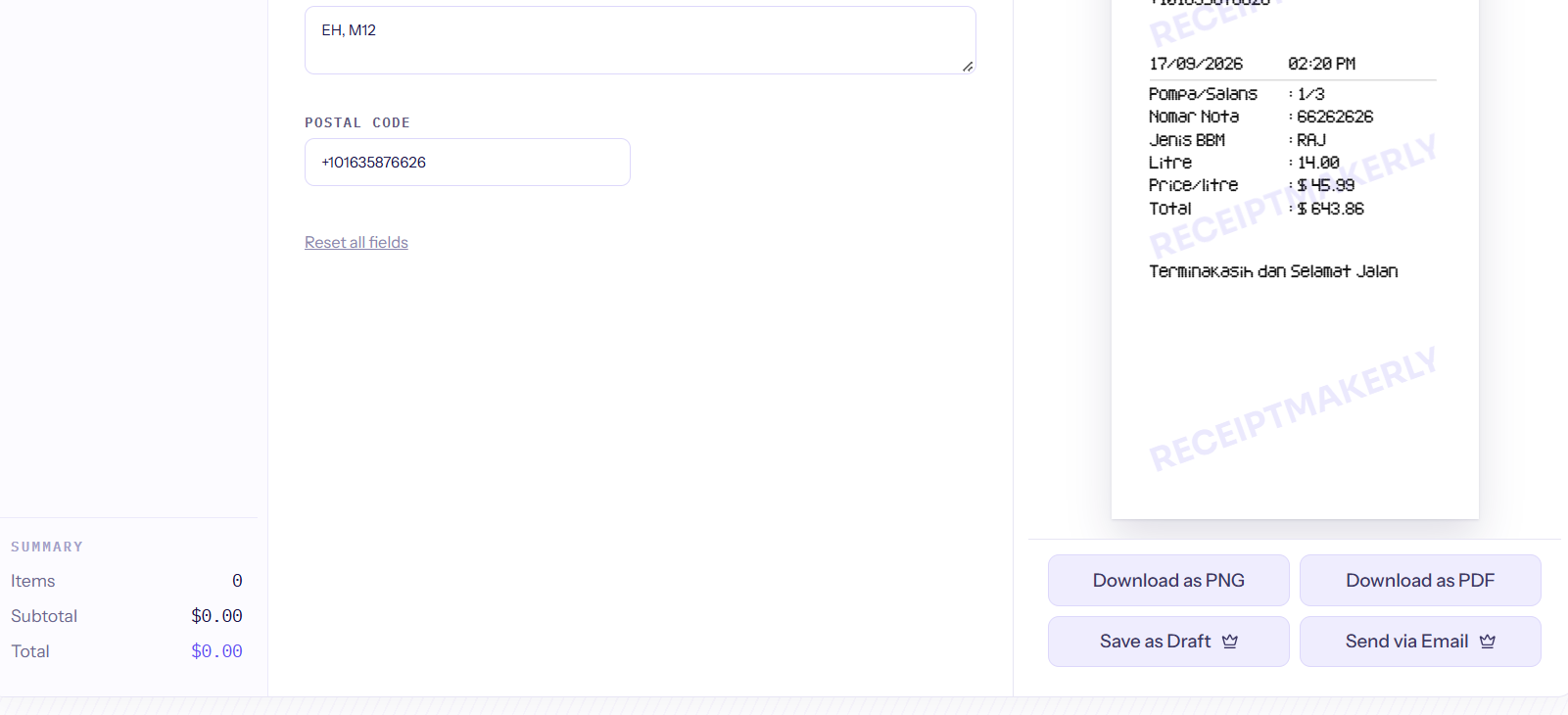
Receiptmakerly allows you to download the receipt in PNG and PDF format and also to email the receipt. You can also save your custom receipt as template for future use.
Frequently asked questions about E Receipt
Is an e receipt legally valid?
Yes. The IRS has accepted electronic images as substitutes for paper since 1997, and HMRC accepts digital copies as well). The copy has to be complete and readable. A cropped screenshot with the total cut off will not do the job.
What is the difference between an e receipt and a digital receipt?
Nothing. E receipt, e-receipt, electronic receipt, digital receipt. All four mean the same thing: proof of purchase sent by email or text instead of printed.
Can a customer refuse to give their email address?
Yes, and some will. Offer a text message or a printed copy instead. Do not make handing over contact details a condition of getting a receipt for something already paid for.
What if the e receipt lands in the customer's spam folder?
It happens, particularly from a new sending domain. Set up SPF and DKIM authentication before switching over, and tell customers at the counter to check spam if nothing arrives within a minute.
Do I still need to keep my own copy?
Yes. Retention rules apply the same way whether the record is paper or digital, and the tax office can ask to see it. Keeping your copies digital makes them easier to produce than a filing box would.
Can I send an e receipt after the customer has left?
Yes, and this is one of the practical advantages. If someone comes back a week later needing a copy for an expense claim, you can resend it from your records rather than telling them it is gone.
Conclusion
An e receipt is the same document as a paper one, delivered better. It reaches the customer immediately, it does not fade, and it files itself.
The switch is less about technology than about small habits. Collect addresses accurately, keep your deliverability healthy, and still print for the people who want paper. Get those right and the rest takes care of itself.
Use Receiptmakerly to create polished, export-ready receipts in minutes.