Most advice on how to organize receipts starts with physical folders. That's the wrong end of the problem.
The real question is which receipts matter at all, and tax law answers that, not preference.
This guide shows you how to organize receipts across four countries' retention rules, using five systems that hold up under audit, and how to decide what goes in the shredder. It applies whether you're filing personal expenses or sorting formal records like business tax receipts or rent receipts.
TL;DR
- Organize receipts by retention period first, category second. File by tax year and you can bin a whole folder the day its window closes.
- US: 3 years standard, 6 if you underreported by 25%+, indefinitely if you never filed.
- Outside the US: 5 years in the UK and Australia, 6 in Canada.
- Under $75, US travel expenses need no receipt at all, though lodging always does.
- Thermal receipts fade. Photograph anything you need to keep, the day it arrives.
How long do you actually need to keep receipts?
Standard return | 3 years |
Claim for credit or refund after filing | 3 years from filing, or 2 years from payment — whichever is later |
Claim for worthless securities or bad debt | 7 years |
Unreported income over 25% of gross income shown | 6 years |
No return filed, or fraudulent return | Indefinitely |
Outside the US, the windows differ:
United Kingdom: self-employed people keep records five years after the 31 January Self Assessment deadline. Limited companies keep them six years from the end of the accounting period. VAT records: six years (HMRC, 2026).
Canada: six years from the end of the tax year the records relate to (CRA, 2026).
Australia: five years from the date you lodge the return (ATO, 2026).
Here's the practical takeaway. If you file a folder by tax year, you can throw away an entire folder at once when its window closes. If you file by vendor or by category alone, you can never safely delete anything, because every folder contains a mix of years. Building a reliable system to organize receipts by tax year prevents this exact issue.
Do you need a receipt for every purchase?
No, and this one saves real time.
Travel and transportation expenses of less than $75 do not have to be supported by documentary evidence (IRS Publication 463, IRS, 2026). You still need to record in writing the amount, date, place and business purpose, but the paper slip itself is optional. But people miss the exception and lose money. For example, you always need a receipt for lodging, no matter how small.
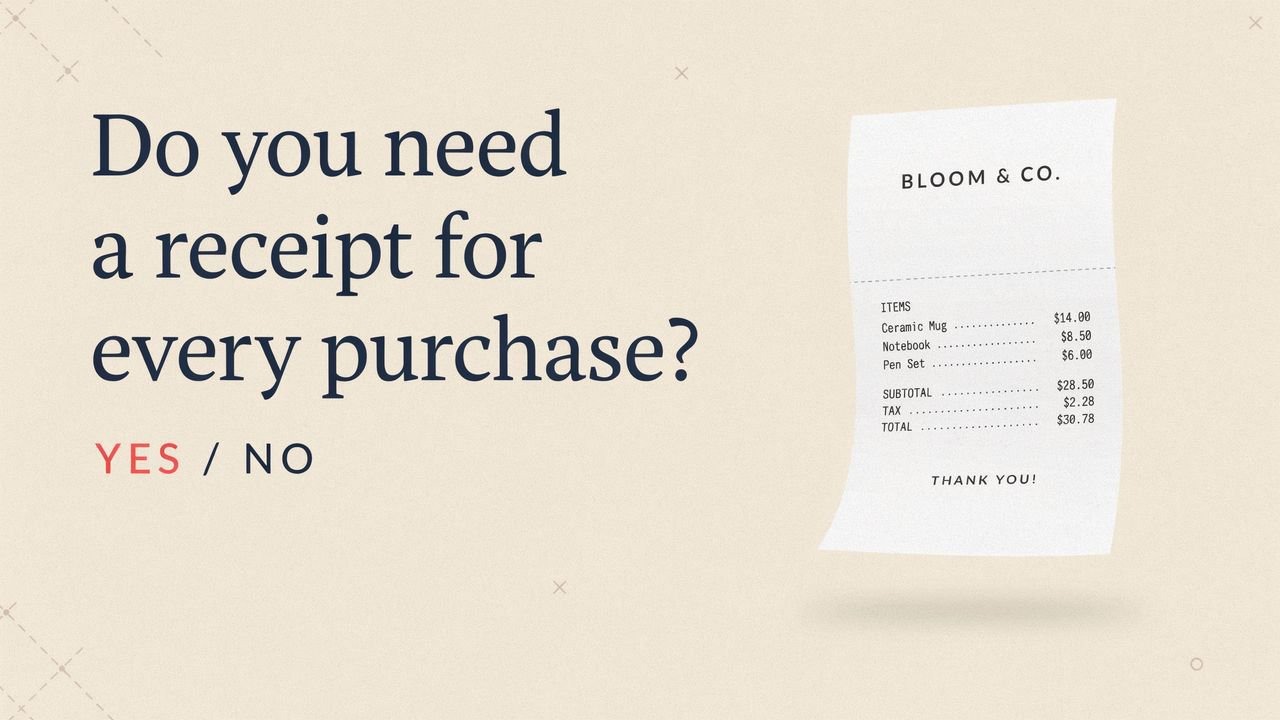
The exception costs people money: lodging always needs a receipt, no matter how small. A $40 motel room still requires the slip. Keep every hotel folio.
Note that this is a narrow exception. It covers travel and transportation under section 274(d), not office supplies or software subscriptions. When in doubt, photograph it, that takes four seconds, and knowing how to organize receipts digitally right away saves hours later when working out whether an exception applies."
Sort receipts into three buckets before you file anything
Marcus runs a two-van plumbing business. Initially, he kept every receipt for seven years, including coffee runs. As a result, his filing cabinet held about 4,000 pieces of paper, roughly 300 of which mattered.
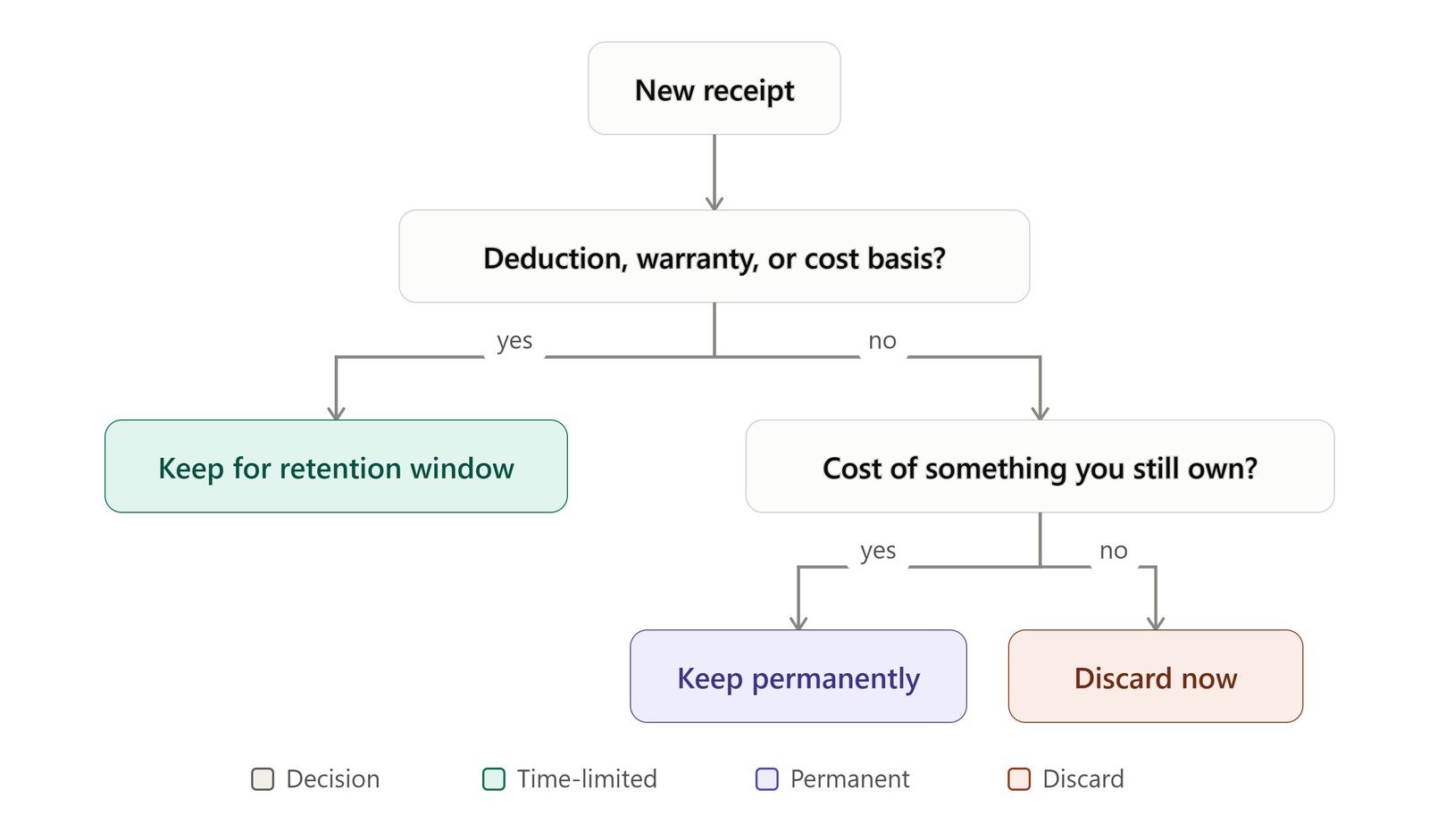
Run every receipt through three questions:
- Does it support a deduction, a warranty, or an asset's cost basis?
Keep for the retention window.
- Does it establish what you paid for something you still own?
Keep permanently. Property, major equipment, and home improvement records outlive the standard window because they set your cost basis at sale.
- Neither?
Throw it out today.
That third bucket is bigger than you think. A grocery receipt for personal food is not a tax record. Neither is a personal coffee. If you'd never produce it for anyone, it doesn't need a home.
5 Proven Ways to Organize Receipts for Tax Season and Audits
1. Digital capture at the point of sale
Photograph or scan the receipt the moment you get it. Because thermal receipts fade over time, this is the single highest-return habit on this list. Furthermore, thermal paper degrades with heat, light, and friction, and a receipt kept in a car glovebox can be unreadable within a year.
All four tax authorities accept legible digital copies. Canada is the strictest about the mechanics, under Information Circular IC05-1, the CRA accepts electronic records, but paper originals can't be destroyed until the scans meet Canadian General Standards Board imaging standards, and early destruction needs Form T137 (CRA, 2026).
Various receipt scanning apps handle capture and text extraction. Your phone's camera plus a dated folder works too.
2. Tax-year folders with category subfolders
This is the system that scales. One folder per tax year, subfolders by category inside it.
Name files consistently: 2026-03-14_Ferguson_plumbing-supplies_212.40. Date first, so files sort chronologically on their own. When the retention window closes on the 2026 folder, you delete the whole thing without reviewing a single file.
3. Category-first filing for reimbursement-heavy work
If you claim expenses monthly rather than annually, flip the hierarchy: category first, month second. For example, Aisha, a field sales rep submitting mileage and client meals every month, files by expense type because that's the shape of the form she fills in.
Suggested categories to adapt:
- Home utilities. (Electricity, water bill, gas receipt)
- Shopping. (Daily groceries receipts, clothing, jewelries)
- Travel. (Business trips, vacation)
- Supplies. (Business expenses on supply materials)
- Insurance. (Disability premiums, health insurance, property insurance)
- Various types of Cash receipts, Auto repair receipts and itemized receipts
The trade-off is real: you'll do more work at year-end pulling one tax year back out.
4. Expanding files for the paper you must keep
Some documents stay physical, signed leases, notarized paperwork, warranty cards with original stamps. An expanding file with tabbed pockets costs a fraction of a cabinet and travels.
Be honest about the limits. Expanding files hold maybe 200 sheets before they stop closing, and they offer no protection against fire, water, or a break-in. Use them for the small permanent set, not the annual pile.
5. Accounting software with receipt attachment
If you already use bookkeeping software, attach the receipt image directly to the transaction. The receipt and the ledger entry live together, which is exactly what an auditor asks for. Consequently, this matters even more in the UK starting this year.
Making Tax Digital for Income Tax became mandatory on 6 April 2026 for sole traders and landlords with gross income above £50,000, and it requires digital record-keeping through compatible software (HMRC, 2026). The threshold drops to £30,000 in April 2027 and £20,000 in April 2028. A shoebox is no longer a compliant system for a growing number of UK businesses.
A word on the jar method
Dropping receipts in a jar is storage, not organization. It's fine for a household keeping return slips for a few weeks. It fails the moment anyone asks you to produce a specific receipt from eighteen months ago, and it does nothing about thermal fade.
Don't forget the receipts you issue
Most guides only cover receipts you receive. If you run a business, you're also generating them, and your own copies need the same discipline.
Rebuilding a receipt you issued last spring, from memory, for a customer who wants a refund, is a bad afternoon. Receiptmakerly saves every receipt you create to your account if you want. So you can pull up an old one, duplicate it, or re-download it as a PDF. For a landlord issuing twelve rent receipts a year, that turns a monthly task into changing two fields.
Three habits that keep the system working
- Capture within 24 hours. In fact, systems fail on consistency, not design. A receipt photographed at the counter is filed, whereas a receipt in your jacket pocket becomes a forgotten chore.
- Reconcile monthly. Match your logged expenses against your bank statement once a month. Discrepancies are easy to solve in week two and painful in month eleven.
- Back up in two places. One copy is not a backup. Use cloud storage plus a local drive, or two cloud services. If you scan and discard paper, the digital copy is now your only record, treat it that way. Check once a year that your files still open.
What to throw away
Once you know which documents matter, learning what to discard is just as crucial as knowing how to organize receipts you need to keep. Shred anything with a card number or address. Then let go of:
- Personal purchases with no warranty, no return window, and no tax relevance
- ATM slips and balance receipts once the transaction clears your statement
- Duplicate copies where you have both the paper and a legible scan
- Entire tax-year folders whose retention window has closed, check your own jurisdiction's rule first
One caveat worth respecting: if a return is under enquiry, retention rules pause. HMRC can request records until an enquiry closes, whatever the standard window says. Don't shred while anyone is asking questions.
Frequently Asked Questions About How to Organize Receipts
How long should I keep receipts for taxes?
Three years covers most US situations, but six years applies if you underreported income by more than 25%, and there's no limit at all if you didn't file or filed fraudulently (IRS, 2026). The UK's standard is five years past the 31 January deadline for the self-employed, Canada's is six years, and Australia's is five from lodgment.
Does the IRS accept photos of receipts?
Yes, as long as they're legible and you can produce them on request. The IRS has no required format for how you organize records, the only test is whether you can deliver a document when asked. Keep the images backed up for the full retention period.
Can I throw away paper receipts after scanning them?
In the US, generally yes, provided the digital copy is clear and complete. Canada is more strict: You may not destroy the originals until the scans meet the CGSB imaging standards and you may have to file Form T137 (CRA, 2026). Check your own jurisdiction before shredding.
What's the best way to organize business receipts?
Tax-year folders with category subfolders, captured digitally on the day. It's the only structure that lets you delete a whole year safely when its retention window closes.
Do I need to keep receipts under $75?
For US travel and transportation expenses, no, but you still need a written record of the amount, date, place, and business purpose. Lodging is an exception and receipt is always necessary (IRS, 2026)
How do I organize receipts for a small business on my own?
Tax-year folders, category subfolders, captured on the day. Add a monthly reconciliation against your bank statement. That combination handles most sole traders and small companies without any paid software.
How should I back up digital receipts?
Two independent locations, at least one off-site. Cloud storage plus an external drive works. Use standard formats like PDF or JPEG rather than proprietary ones, so the files still open in six years.
Final thoughts
Organizing receipts gets easier once you stop trying to organize all of them. Sort by retention window, file by tax year, capture on the day, and shred the rest without guilt.
The rules give you permission to throw most of it away. Three years for a standard US return, five in the UK and Australia, six in Canada, and a much shorter list than you'd expect for anything permanent.
Start with the receipts you generate, receive and print receipts this week. Photograph each one the day it arrives, drop it into a folder named for the tax year, and reconcile at month end. One month of that habit tells you whether the system fits, and it's a far smaller commitment than digitizing four years of backlog.
Use Receiptmakerly to create polished, export-ready receipts in minutes.